
I’ve spent a good amount of time experimenting with chatGPT, delving into the intricacies of crafting prompts, studying documentation, perusing books on prompt engineering, and watching demonstration videos on YouTube. I’ve carefully selected the strategies that yield the most optimal responses from GPT to enhance my interactions.
Order of prompting
The sequence in which you present the information is crucial for obtaining the most optimal response. When constructing your prompt, you have several elements at your disposal. However, I’ve found that the most effective approach is to arrange them in the following order: persona, task, context, and examples. Starting with the persona, followed by the task, then the context, and concluding with examples consistently yields superior results.
1. Persona
This parameter is not mandatory, but configuring the “persona” setting can establish a framework for guiding ChatGPT’s responses, resulting in more focused and controlled replies. Here are a few examples:
– Act as a Software Architect….
– Assume yourself a book editor…
2. Task
Task is the information instructing chatGPT what you desire to accomplish for you. The greater the clarity of the task, the higher the quality of the response you’ll receive.
Examples:
– analyse the text and provide me a gist..
– reformat the text to markdown..
3. Context
This parameter serves the purpose of furnishing ChatGPT with the necessary context to execute the task at hand. This context may encompass input data, relevant information, or any additional details that are pertinent to the task’s completion.
4. Examples
ChatGPT is a Large Language model(LLM) trained on an enormous amount of data. Sometimes giving an example might skew the response as GPT will try to format the style of the response to the given input examples. If examples need to be provided, provide enough examples so that the response or output would be better. The examples component is optional.
Prompt examples using the four components discussed above
Example-1
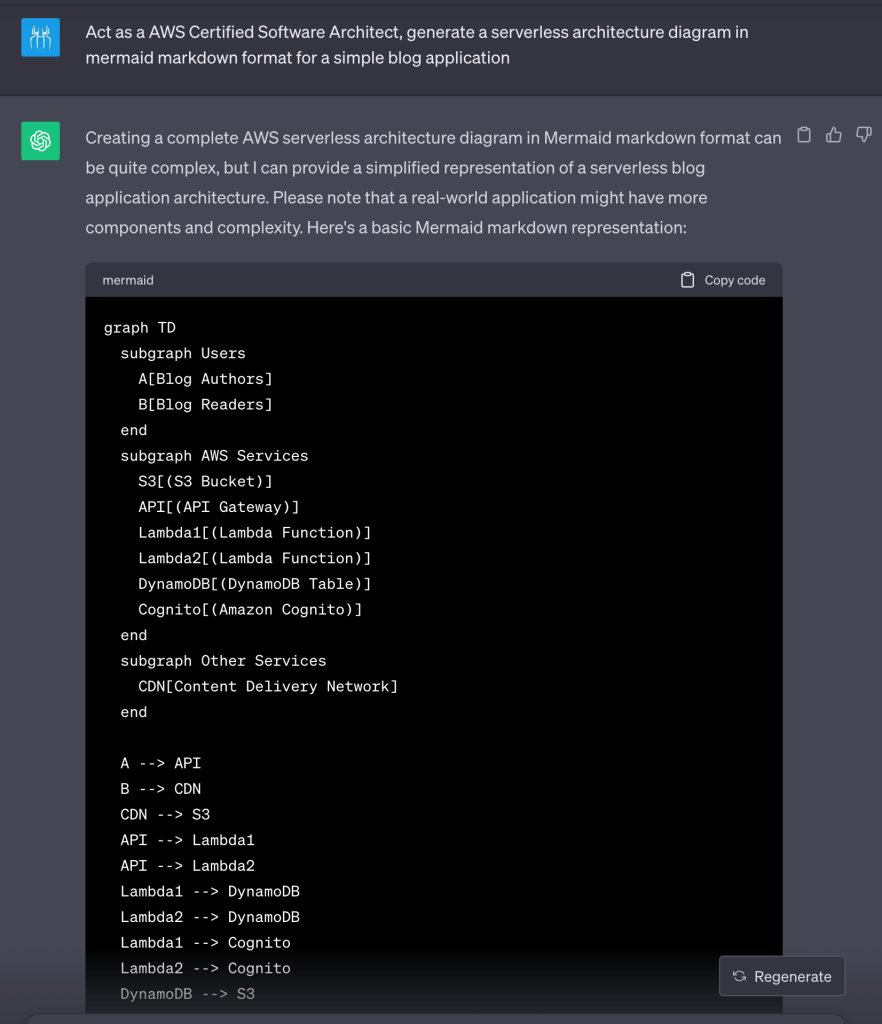
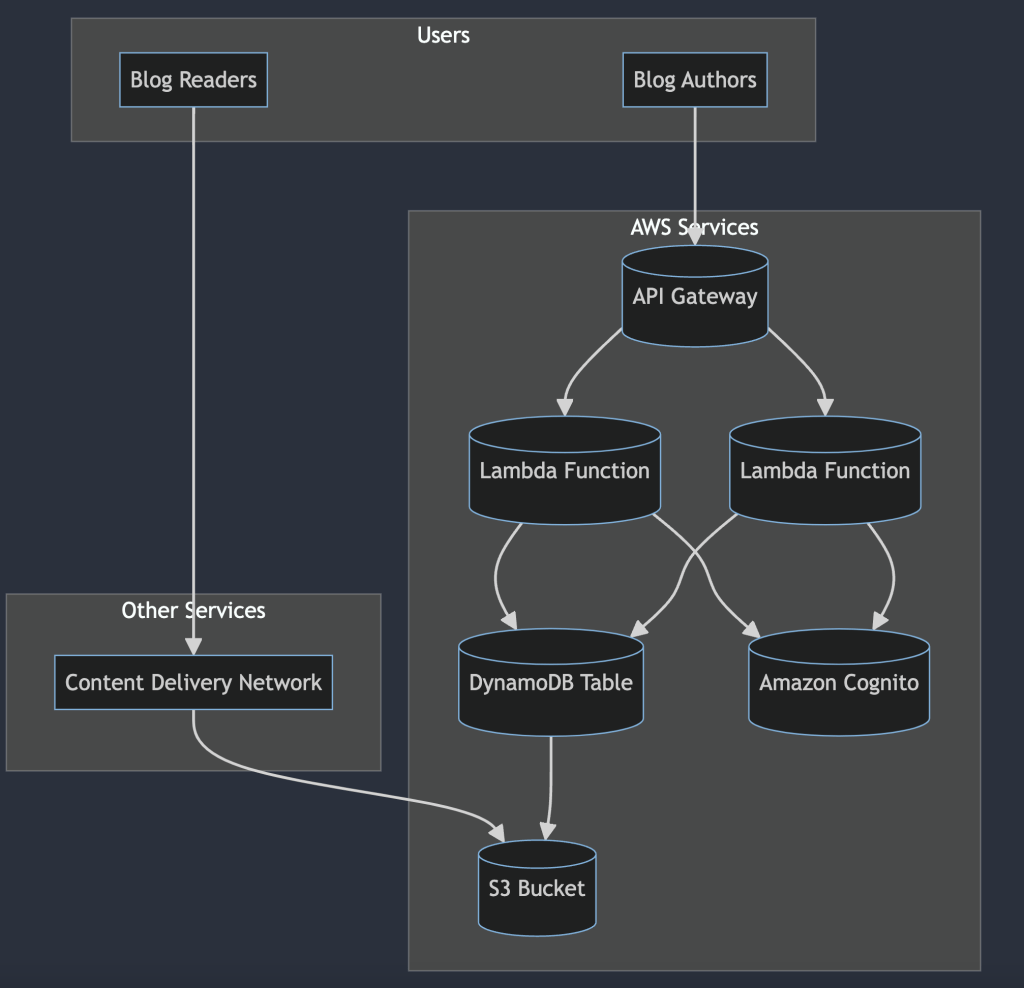
Act as an AWS Certified Software Architect, generate a serverless architecture diagram in mermaid markdown format for a simple blog application
Example-2
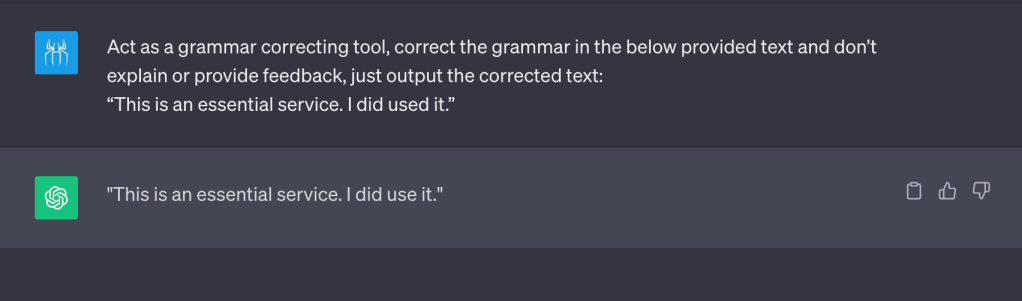
Act as a grammar correcting tool, correct the grammar in the below-provided text and don’t explain or provide feedback, just output the corrected text:
“This is a essential service. I did used the service”
Placeholders
Placeholders are a powerful concept that instructs GPT to dynamically incorporate data into its responses. You can identify placeholder text enclosed within square brackets. Here’s a simple example of a placeholder:
– List 10 items in the format:
[Animal] – [Sound it makes]
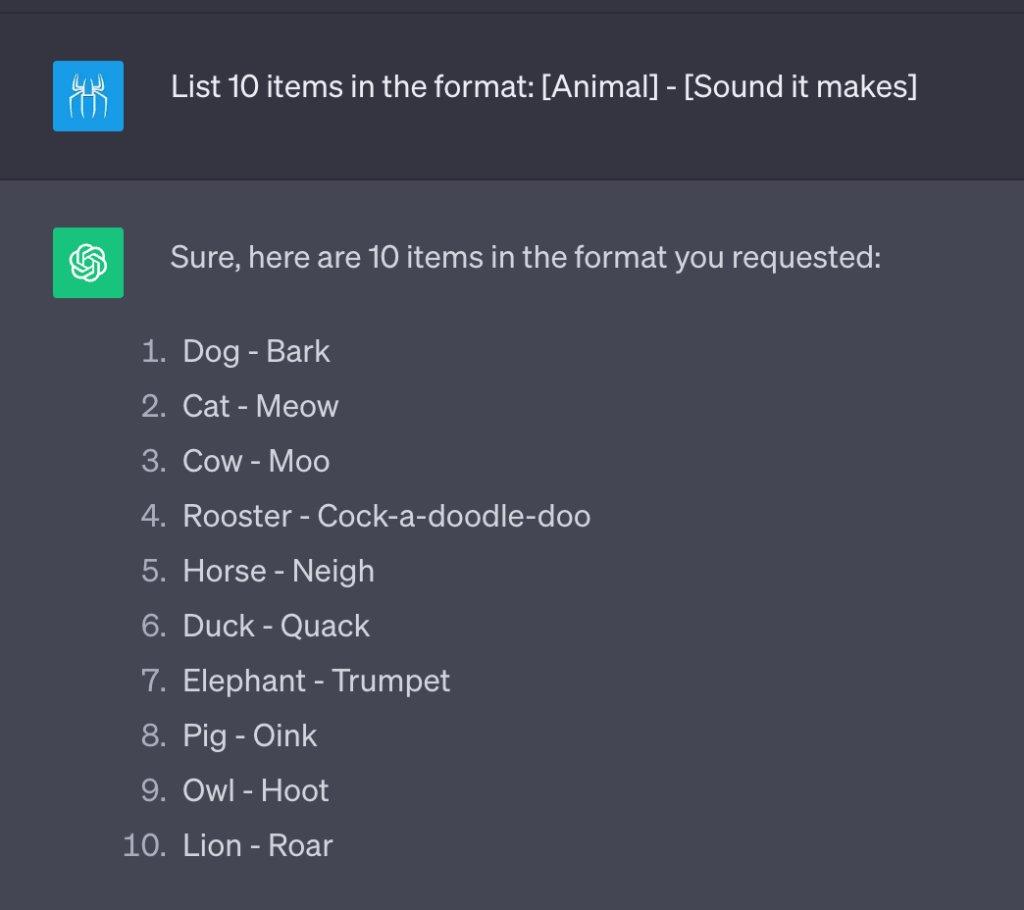
I’ll discuss more on the placeholders in the output formatting/templates
Output templates
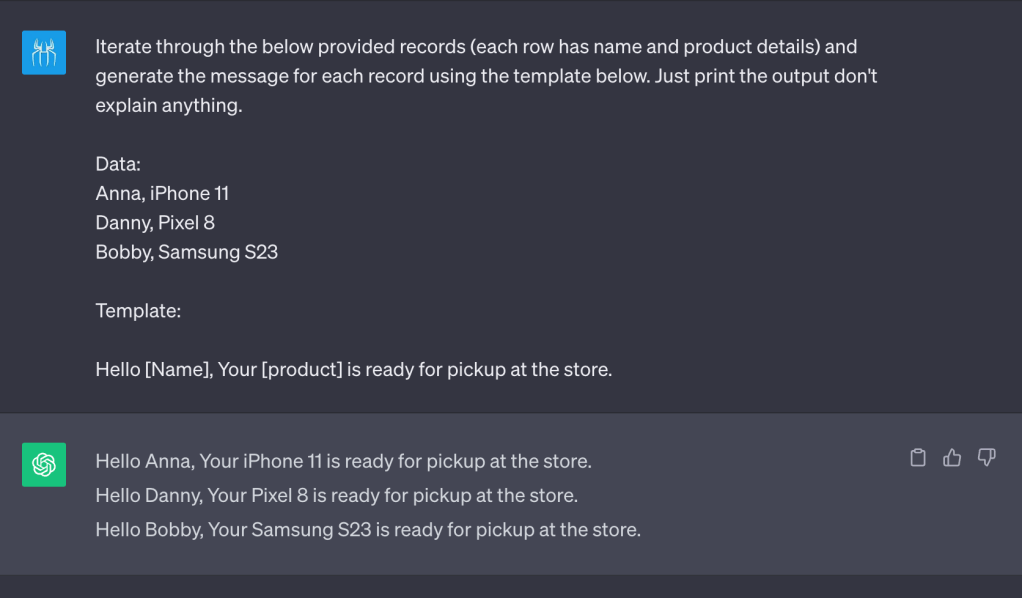
We can inform GPT on how we want the response to be. We can give GPT a template and ask GPT to respond in the same format.
– Iterate through the below provided records (each row has name and product details) and generate the message for each record using the template below. Just print the output don’t explain anything.
Data:
Anna, iPhone 11
Danny, Pixel 8
Bobby, Samsung S23
Template:
Hello [Name], Your [product] is ready for pickup at the store.
Hope this blog post helps you being more productive. In future blog posts, I’ll try to include additional tips and tricks regarding chatGPT prompts.
 Umess.me
Leave a comment